01 · Your starting point
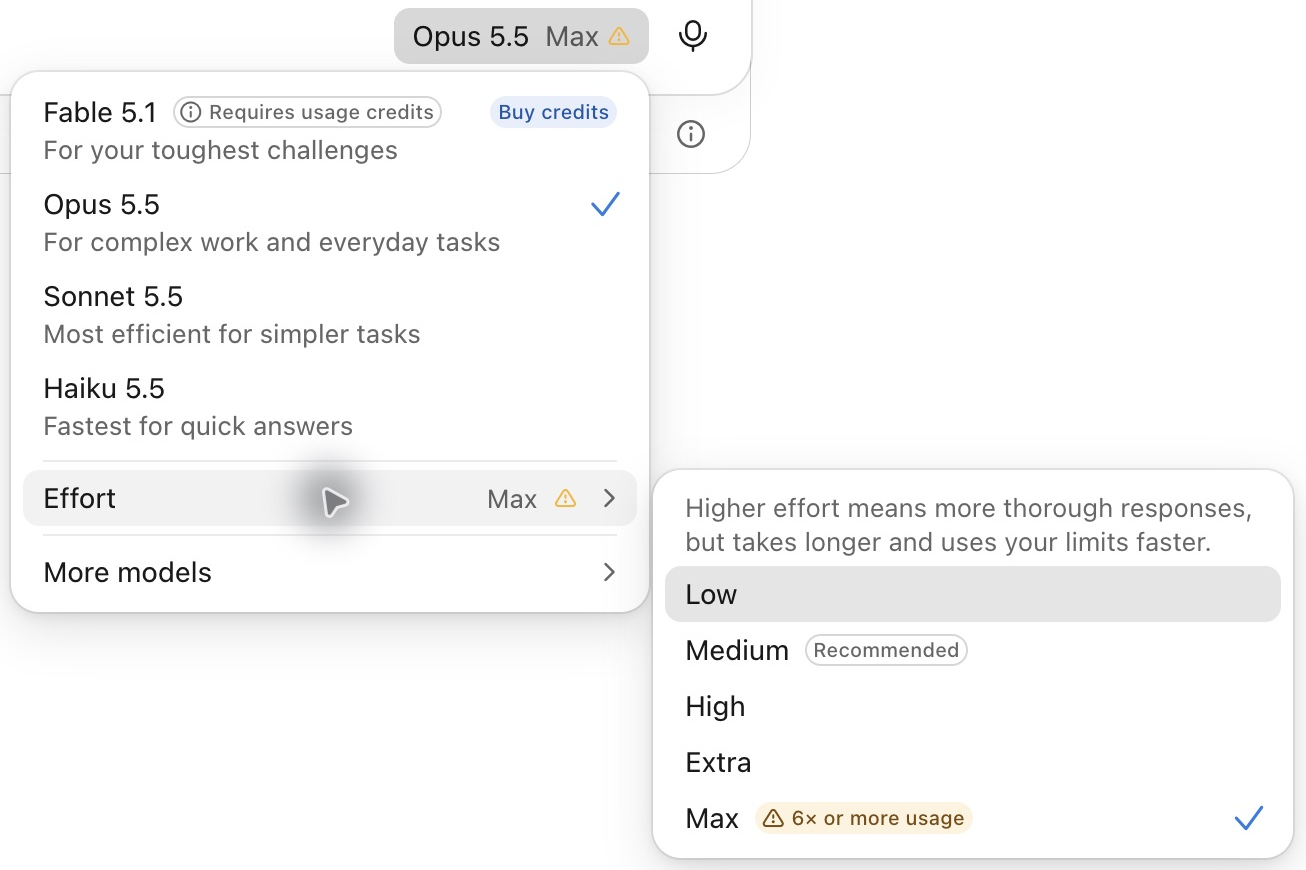
Opus 5.5 + Max.
Use the strongest setting your allowance can comfortably support.
My recommended starting point. Higher effort can use more of your allowance.
- Choose the model. Open the model name beside the message box.
- Set the effort. Open Effort and choose Max. Recheck in a new session.
02 · More demanding work
When to go bigger.
- Fable 5.1
For difficult reasoning across the full record, such as a motion built from the case file.
Cost: Pro uses paid credits immediately. Max and Ultra plans include Fable within a sublimit of half the weekly allowance. Check your plan’s Fable rules.
- Ultracode
Parallel work in Claude Code: repeated checks, broad searches, or independent attempts. Example: the same clause across 40 contracts.
Turn on in the effort controls. See Guide 04 for controls and usage.
03 · Manage your usage
When usage is tight.
Check Settings → Usage. Compare allowance left with time until reset.
- Sonnet 5.5 · High
- Small, straightforward work: emails and short summaries.
- Opus 5.5 · High
- Larger tasks that still need stronger reasoning.
A rule of thumb
Small tasks: under 10 pages in / 2 pages out. Return to Opus 5.5 · Max when usage permits.
Already out of usage? Guide 04 explains your three options.
How Claude’s usage limits work →
Make the assignment count, whatever model you choose: read the prompting guide.