Part 1 · Setting up
Install Claude and start in Code
Use Code to find, create, or edit documents on your computer.
- Download Claude Desktop for Mac or Windows →
Start a chat
Code → New → Choose environment → This computer
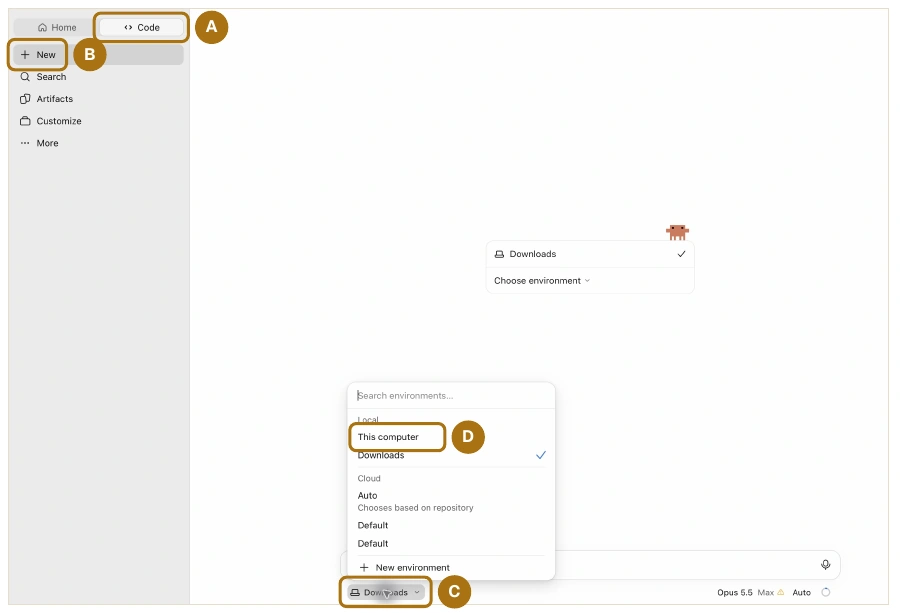
Local work needs your computer awake. Cloud runs while it sleeps and opens on your phone or browser.
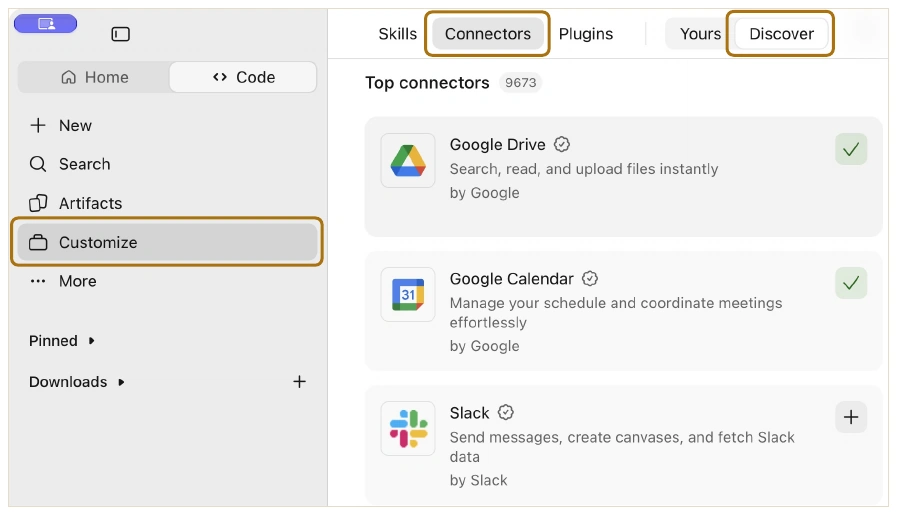
Connect your software.
- Open Customize → Connectors → Discover.
- Gmail · Outlook
- Calendar
- Google Calendar · Outlook Calendar
- Files
- Google Drive · Dropbox · OneDrive · SharePoint
- Messages
- Slack · Teams
Check email, messages, and the Sample Matter folder for the Rivera matter. List open issues, then draft an invite for a 30-minute case review when the team is free.
Part 2 · Intelligence vs Usage Limit
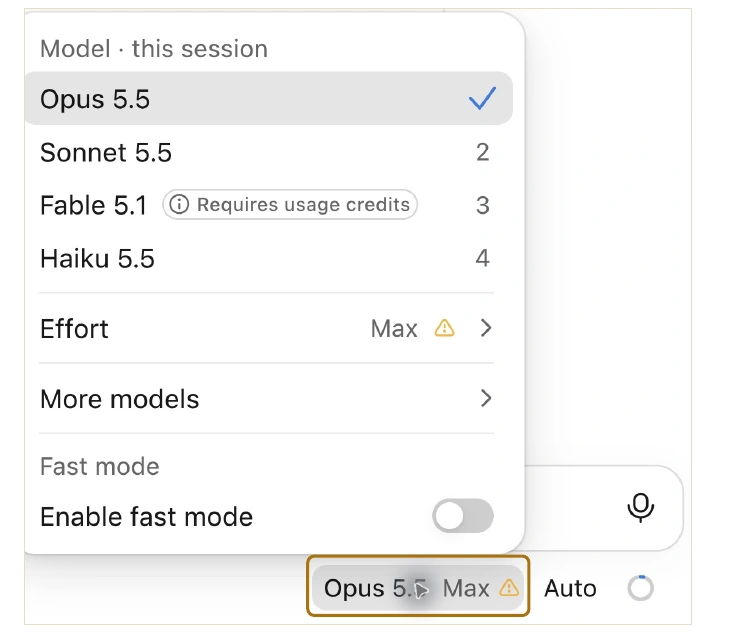
Choose the judgment and work ethic your task needs
- Haiku
- High school
- Sonnet
- Bachelor’s
- Opus
- Master’s
- Fable
- PhD
Set the effort.
- Model menu → Effort
How far should Claude look before it answers?
Stop at a likely answer → Dig deeper and verify
Low → Medium → High → Extra → Max
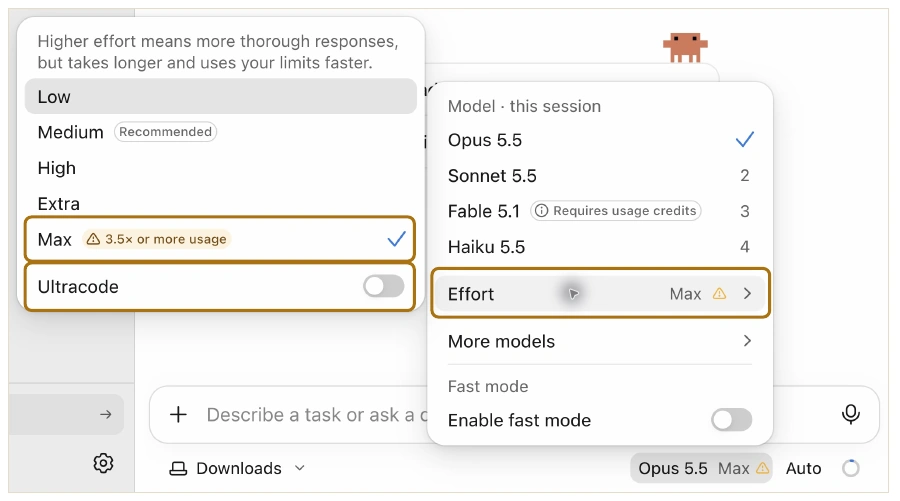
Ultracode · Parallel searches · Heavy usage
Start with Opus 5.5 + Max
Check usage. Adjust settings.
- Click the circle below the message box, beside Auto.
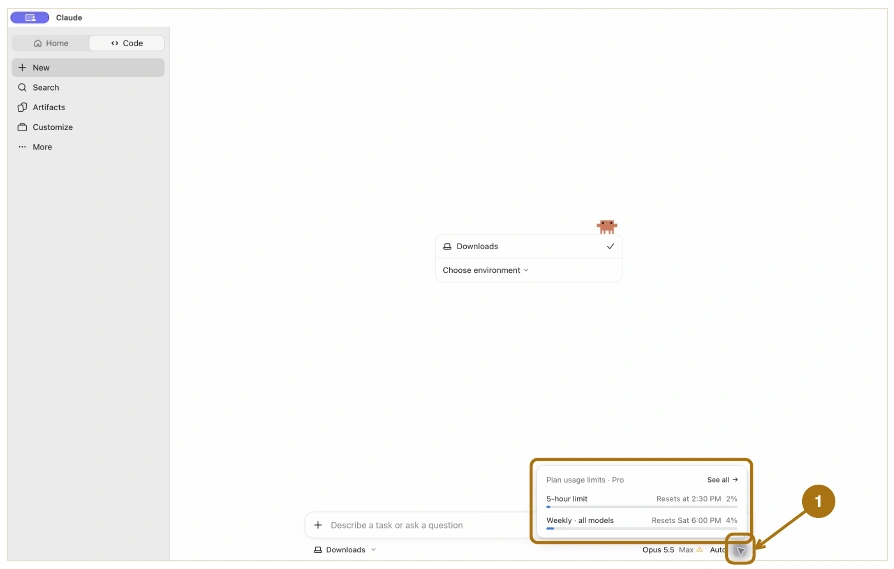
Running low?
Sonnet + High or Opus + High
Limit reached?
Wait for the reset or review paid usage credits.
Part 3 · Useful Tips
Prompting tips.
- Task
- Summarize the Rivera deposition.
- Context
- We’re building a chronology of when notice was given.
- Scope
- Use the Rivera transcript in the Sample Matter folder.
- Audience
- The attorney drafting the motion.
- Format
- A table with topic, testimony, and page and line citations.
- Example
- Notice | Received the letter May 3 | 42:7-11
Use only the tips your task needs.
My favorite prompts.
How can this be improved?
How can this be improved to persuade the judge to grant our motion?
AUDIENCE · GOAL
Create a plan to [goal].
Ask for edits, or say “Implement the plan.”
Get IT help with a screenshot.
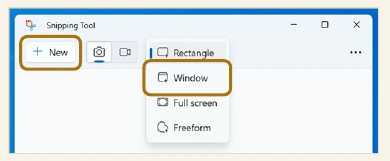
Capture the window you need help with.
Windows
In Snipping Tool, choose Window → New and click the window.
Copy the snip with Ctrl + C.
Mac
Press Shift + Command + 5.
CAPTURE
Capture Selected WindowSAVE TO
Options → ClipboardClick the window.
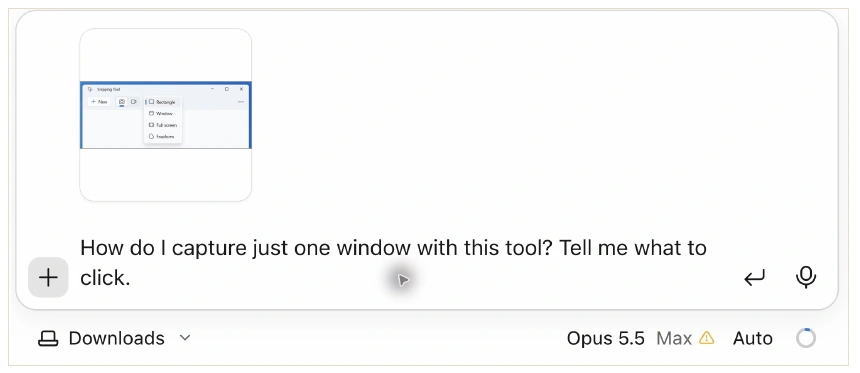
Paste into Code and ask your question.
Ctrl + V on Windows · Command + V on Mac
Typing the same prompt repeatedly?
A skill is a prewritten prompt you can update over time.
Create the skill.
Turn this workflow into a skill called deposition-summary. Package it as a ZIP.
Customize → Skills → Add → Upload skill. Select the ZIP and enable the skill.
Use it for the next deposition.
/deposition-summary Summarize the Chen deposition.
Give feedback and update the skill.
Chen deposition
Notice · Chen received the letter May 3.
Source · Transcript 42:7-11.Put testimony about notice first. Return the revised SKILL.md for deposition-summary.
Skills → deposition-summary → Contents → Edit. Paste the revision. Save version → Save.
Work with Wesley Higbee
AI Coaching for Lawyers
Set up Claude for your legal work.
Connect your tools. Practice a legal workflow. Keep instructions you can use again.
$500 · Two-hour video call · 100% money-back guarantee
Get my Claude setup